.png?width=150&height=30&name=deskfound-logo(500w).png)
🖥️ Setting up desks and areas
How to set up your desks and areas
Desks can be setup in one of the following ways:
-
From Book Desks page.
-
From Location settings page.
Method 1. Navigate to your Location's main page, then click on the Desk Management button:
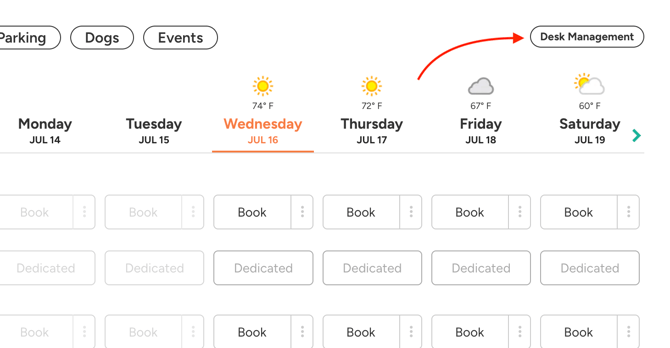
In the following setup popup you can add new areas and add desks to each area in bulk.
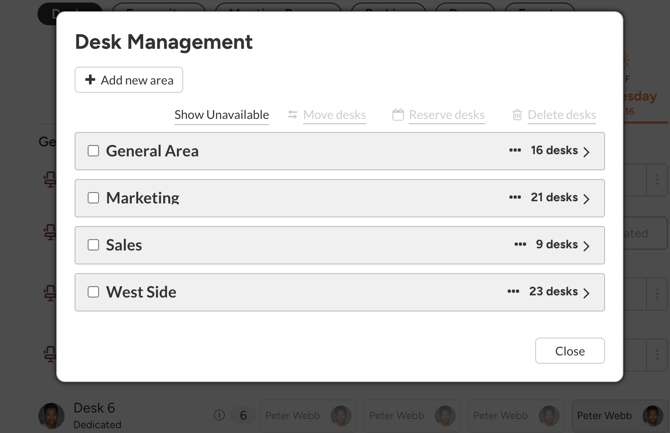
Here you can rename the area by clicking on it's name. You can also re-arrange desks by drag-n-drop.
Click on individual desks to open a desk setup window.
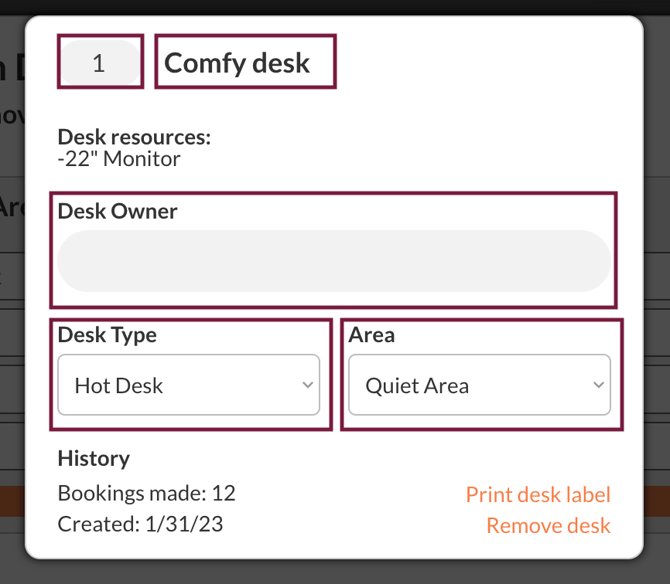
Here you can change the desks order number, name, owner, type and area. You can also see the history of that desk.
Method 2. Navigate to Settings page by clicking on your profile image and press "Settings". Open "Locations" tab. Scroll down and find a location that you would like to setup desks for.
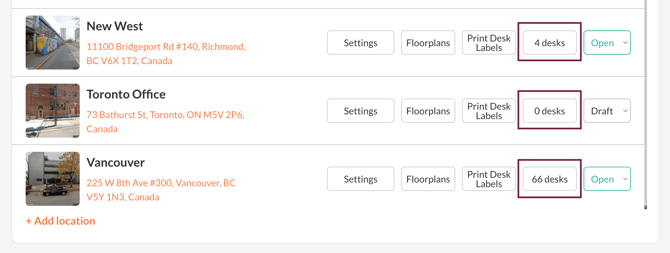
Click on desks to open the Area and Desk setup window. The rest of the steps are same as above.