.png?width=150&height=30&name=deskfound-logo(500w).png)
Book a desk for a Guest
This article describes how to book a desk for a guest without creating an organization-level user.
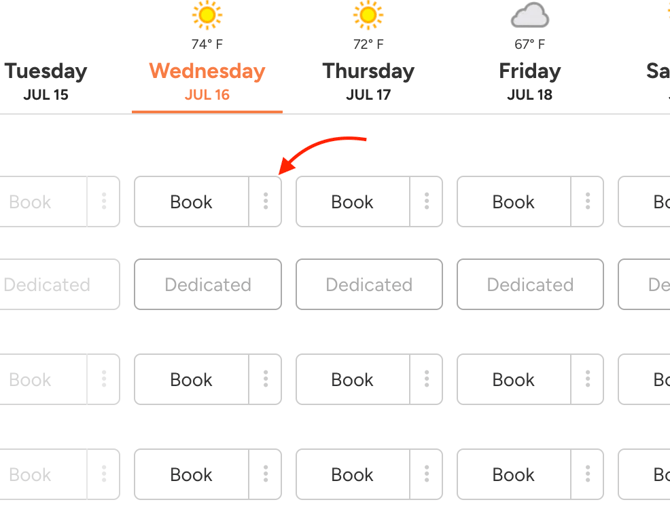
As an Admin, click on three dots (⋮) besides Book button:
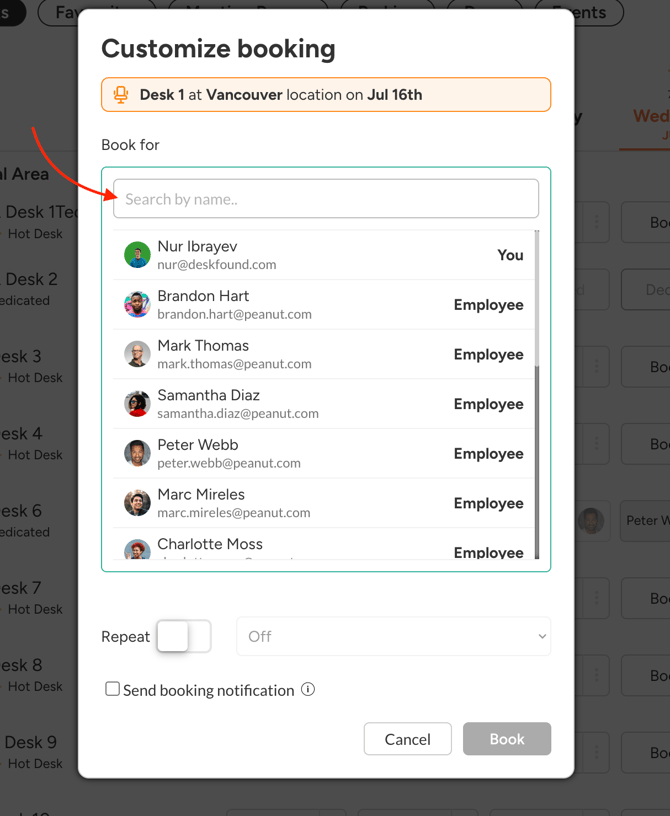
Click on a dropdown besides a name so it switches to a Search by name input:
Type Guest's name:
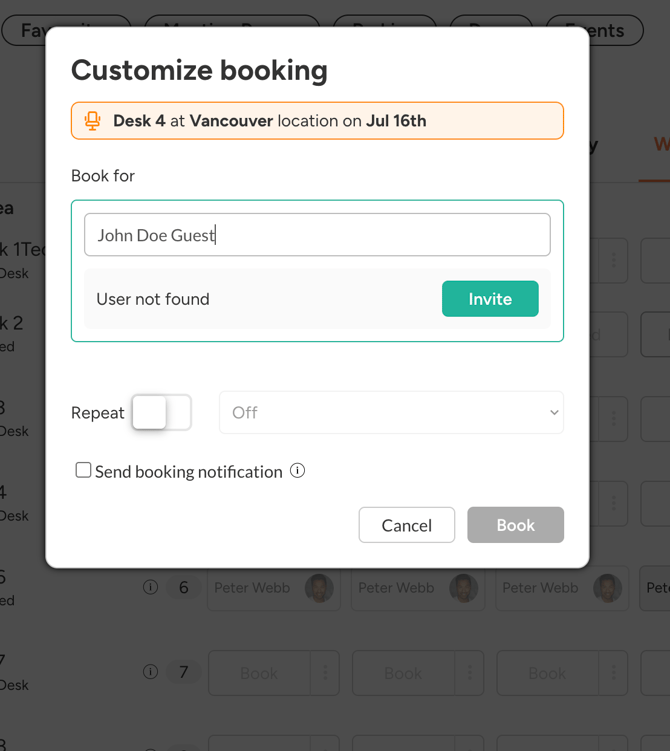
If a Guest doesn't exist, you will be prompted to invite this guest. Click on "Invite":
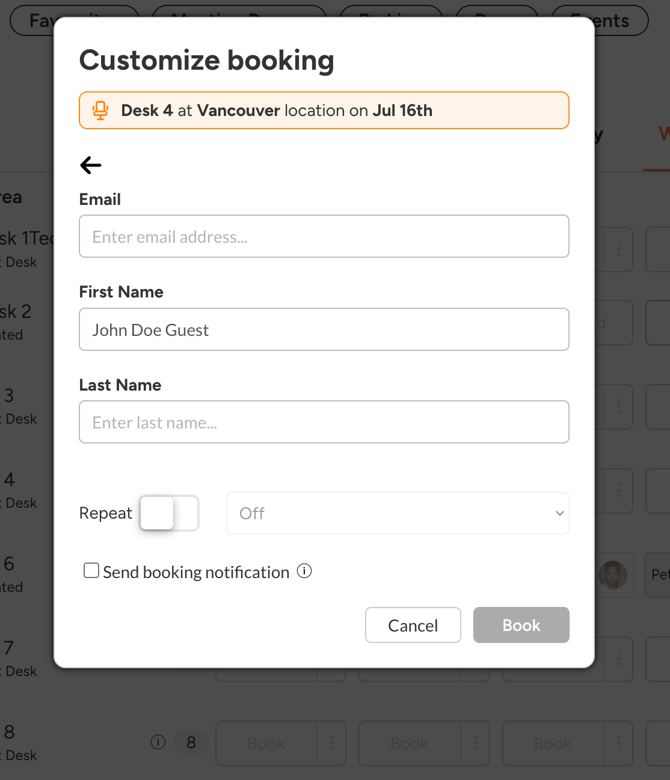
Type in Guest's information and click Book. This will create a desk booking for a guest without giving them an app access or creating a billable user.