.png?width=150&height=30&name=deskfound-logo(500w).png)
How to find your Slack ID
Read this article to find your Slack ID
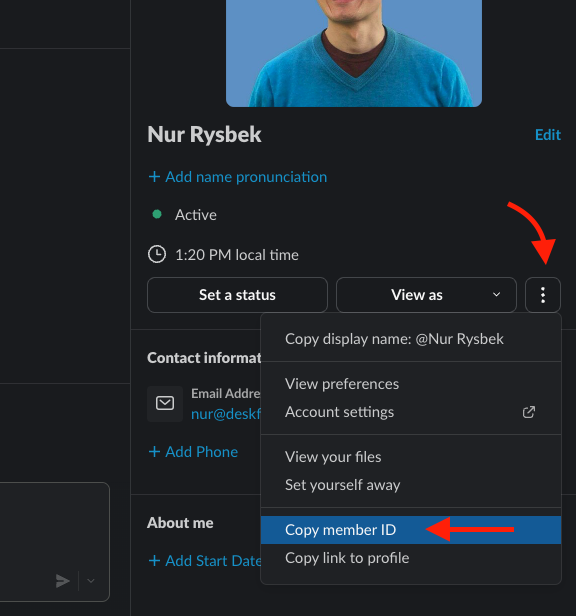
You can find your Slack ID by following these steps:
-
Open your profile pane in Slack app
-
Click on three (3) dots button
-
Copy member ID
Once copied, you can paste this value anywhere (text editor, email, etc) to view your user's Slack ID.