.png?width=150&height=30&name=deskfound-logo(500w).png)
How to reset your password
How to reset your password
This article explains how to reset a password and start using an email/password combo to login.
Please follow these steps to reset your password:
-
Navigate to https://app.deskfound.com/login
-
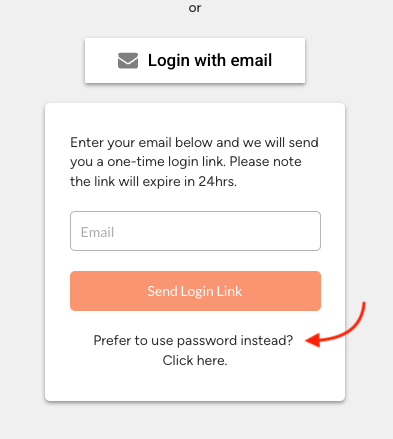
Click on "Login with email"
-
Then click on "Prefer to use password instead?" option
-
In the following window, click on "Forgot password" and enter your email.
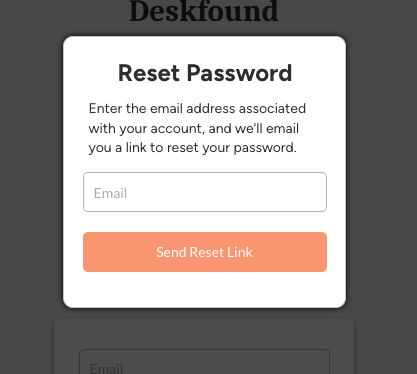
You will be sent a password reset link where you can set a new password.